
Connecting WooCommerce to GoSadi
If you sell patterns through WooCommerce on WordPress, you can connect your store to GoSadi and import your existing patterns. This connection requires your store URL and API credentials from WooCommerce.
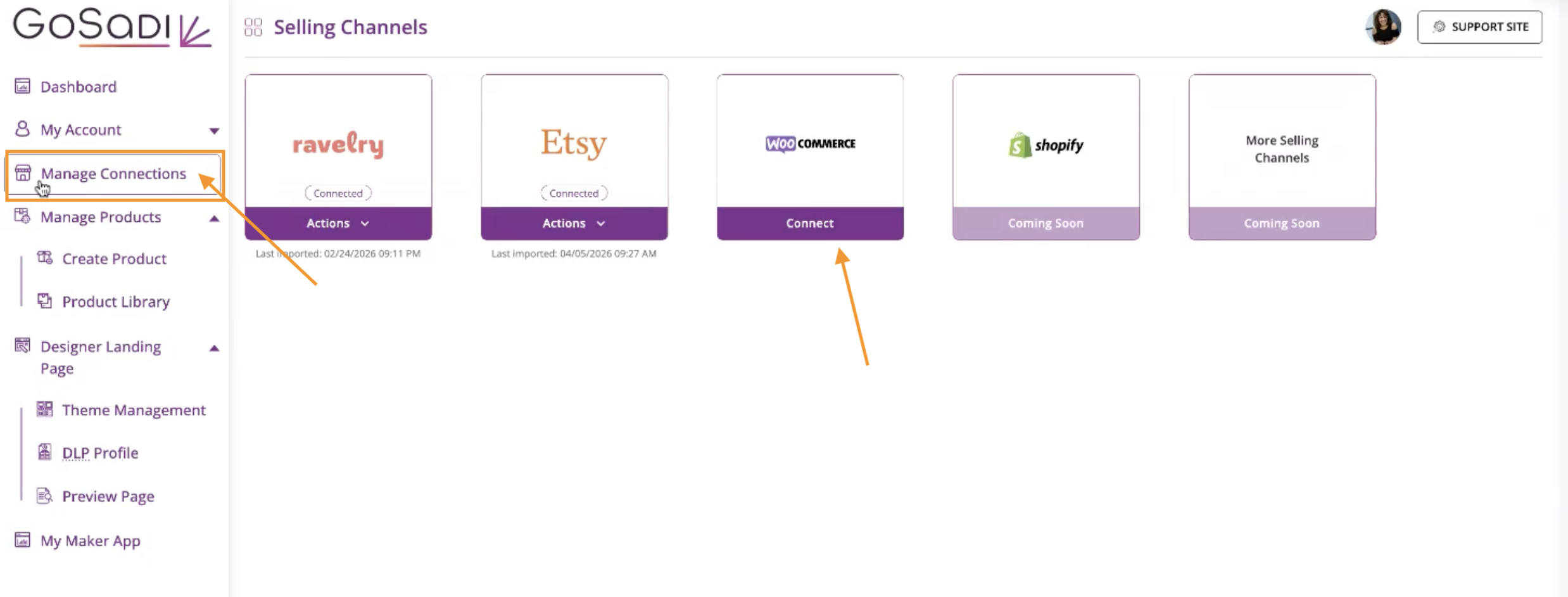
Navigate to Manage Connections
1. Go to Manage Connections in GoSadi
2. Select WooCommerce
You'll need three pieces of information:
Your store URL
Consumer key
Secret key
Get Your API Credentials from WooCommerce
Generate REST API Key
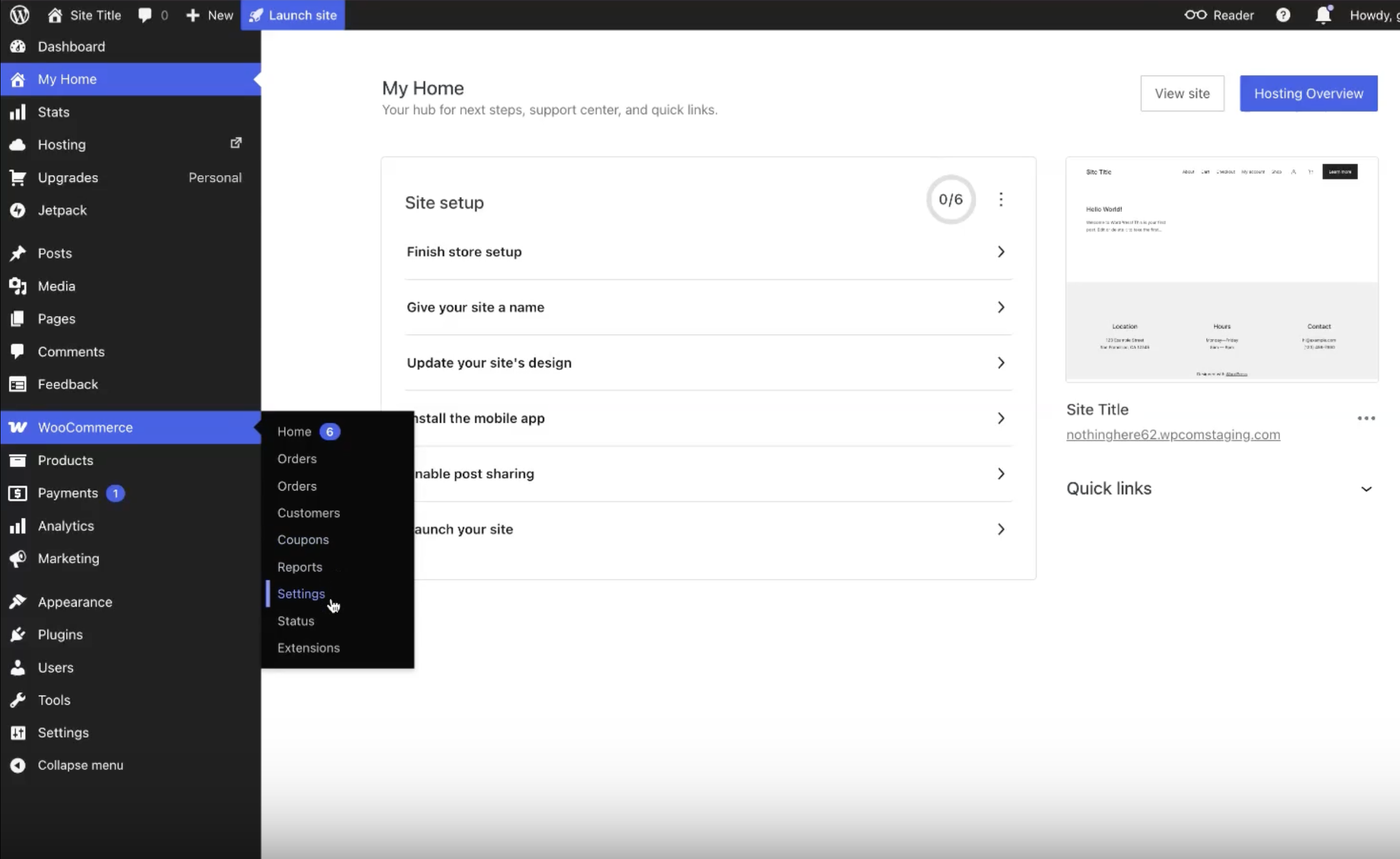
1. Log into your WordPress Admin
2. Navigate to WooCommerce in the left menu
3. Click Settings
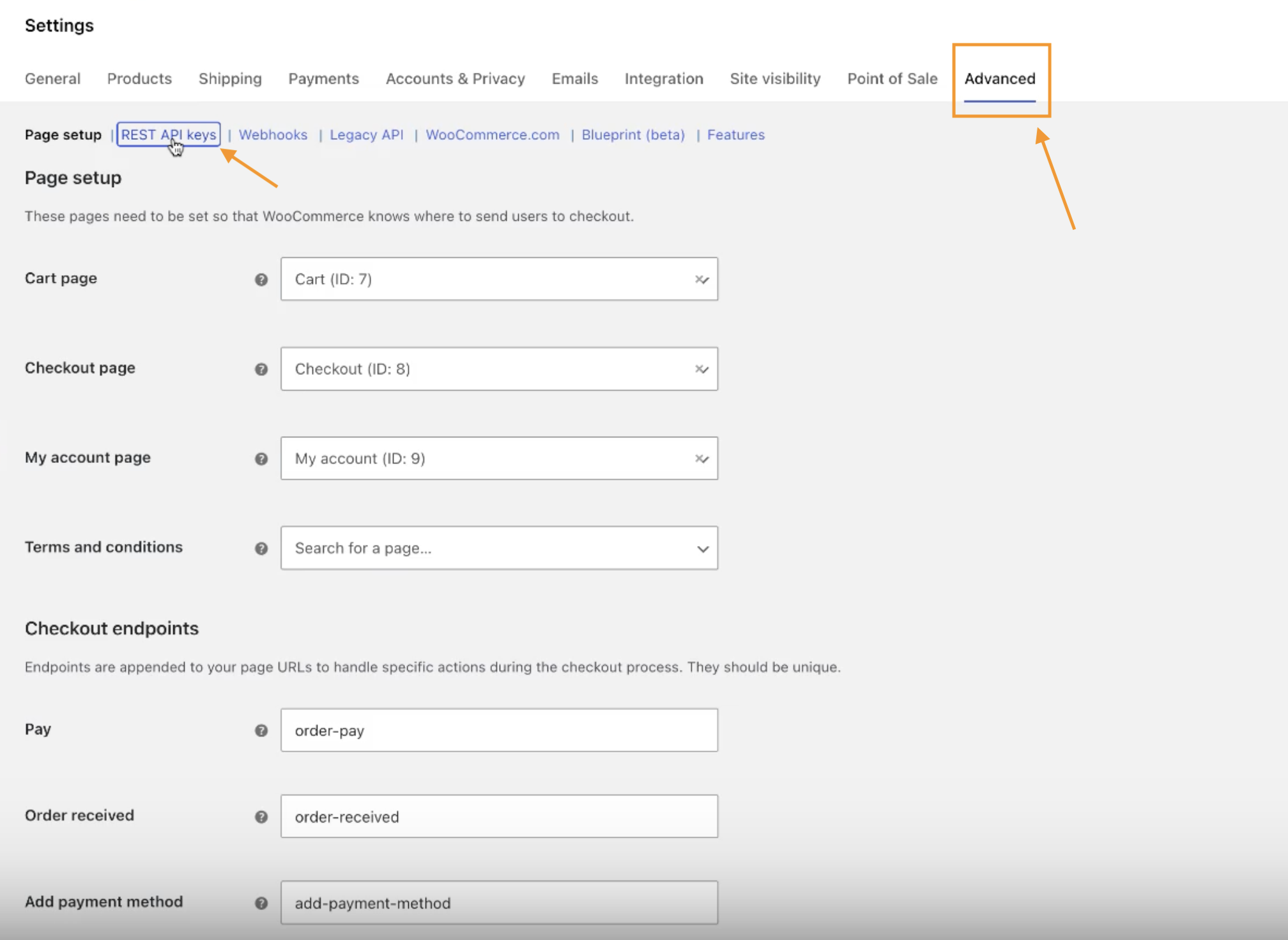
4. Click the Advanced tab (top right)
5. Click REST API keys
6. Click Add Key
Configure Your Key
1. In the Description field, enter a name to identify this connection (e.g., "GoSadi Connection")
a. This helps you identify the key later if you need to manage it
2. Select the user from the dropdown
3. Set permissions to Read and Write
4. Click Generate API Key
Copy Your Credentials
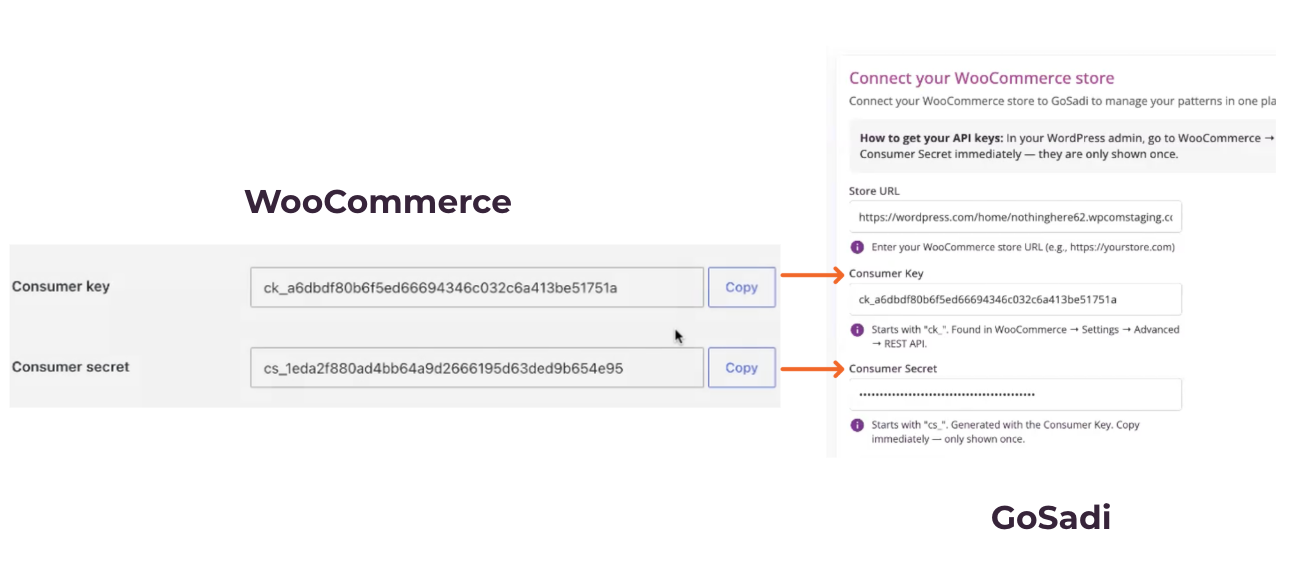
1. On the generated key page, copy your Consumer Key
2. Go to GoSadi and paste it in the Consumer Key field
3. Go back to WooCommerce and copy your Secret Key
4. Go to GoSadi and paste it in the Secret Key field
Test Your Connection
1. In GoSadi, click Test Connection
2. A confirmation message will appear if your credentials are correct
Save and Connect
1. Click Save and Connect
2. Your WooCommerce store is now connected to GoSadi
Import Patterns from WooCommerce
After connecting, you can import your patterns from WooCommerce into GoSadi.
1. Navigate to Import Patterns
2. Confirm that you want to import
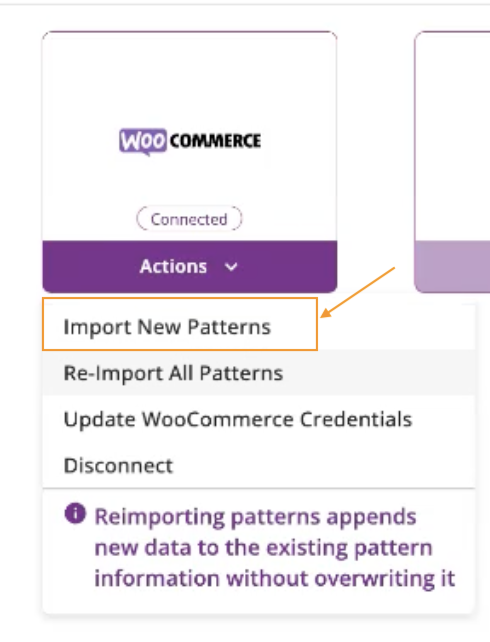
3. Select whether to show imported patterns on your Designer Landing Page (DLP)
a. GoSadi recommends reviewing patterns before displaying them
4. Click to start the import
GoSadi begins importing your WooCommerce patterns!
Note: After importing, you can merge, edit, and publish patterns as needed.
Manage Your API Key
If you need to change or revoke your API key:
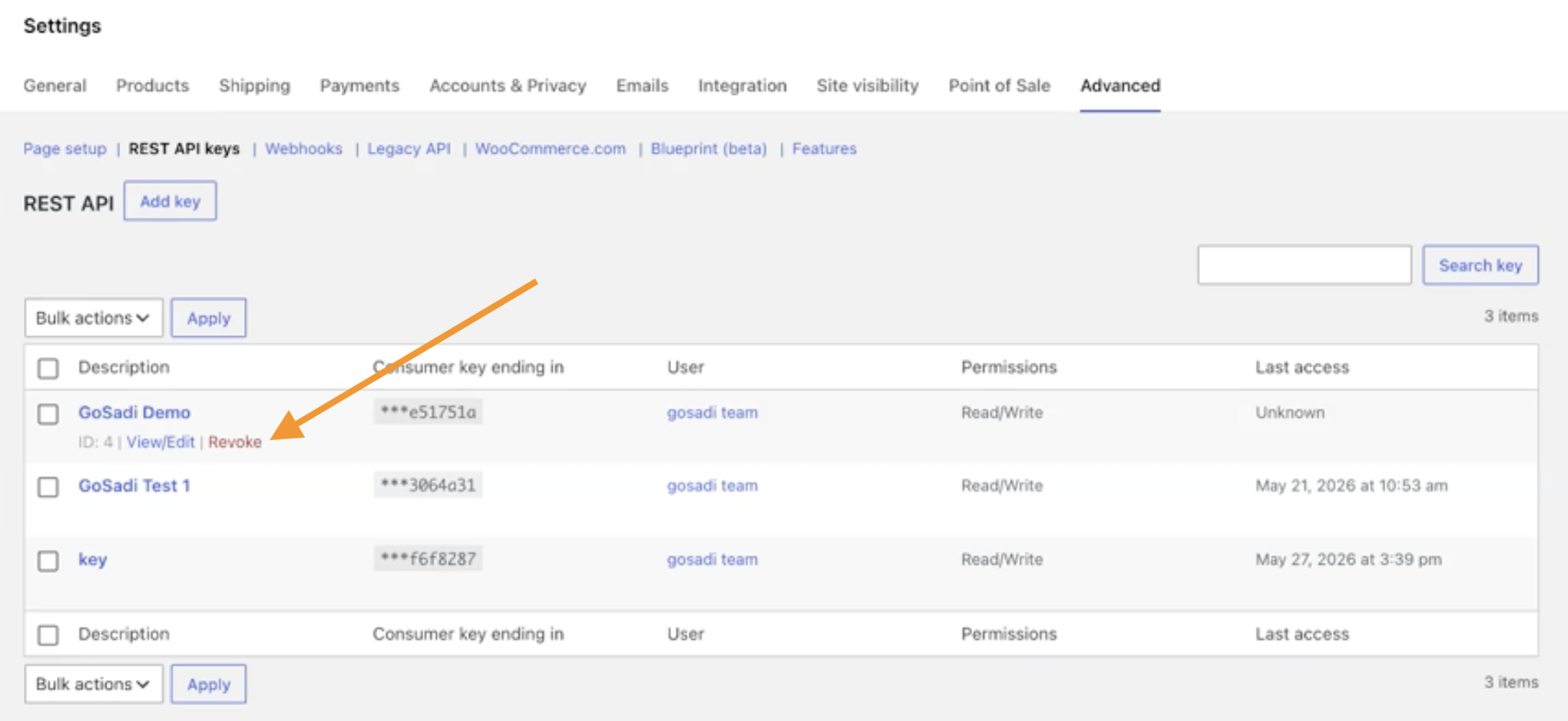
1. Go back to your WooCommerce REST API keys page
2. You can:
Revoke access to remove the connection temporarily
Create a new key if you need to replace the current one
To explore all the features and benefits that GoSadi has to offer, visit our website today!