Getting Started with GoSadi

 
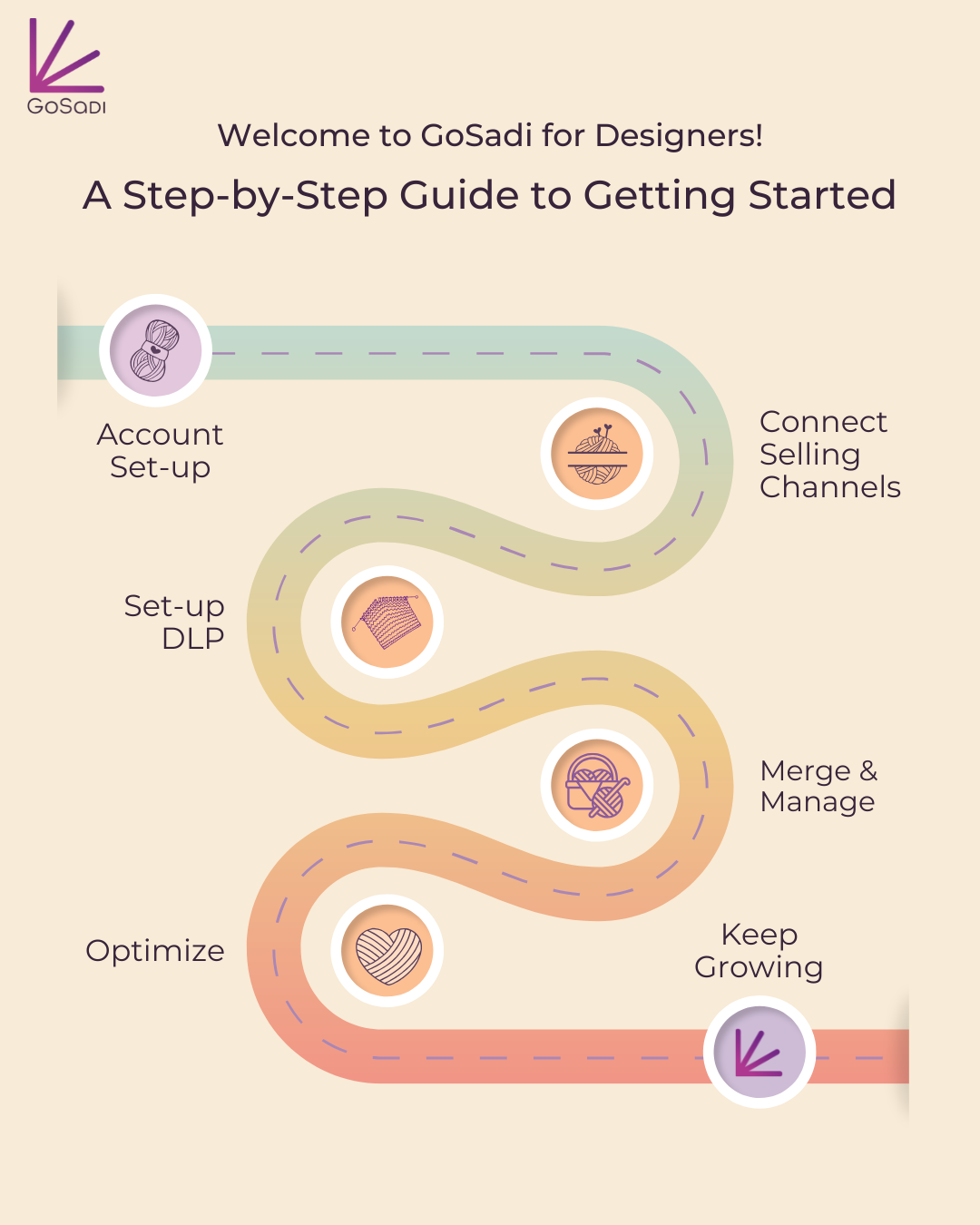
Getting Started with GoSadi Roadmap for Designer Accounts

We are so excited to welcome you to the GoSadi community where you will discover not just a tool to improve your workflow but a place to truly build your community!

This roadmap is all you need to get started for success on the platform!

Below is your complete guide to getting set-up, connecting selling channels, and building out your GoSadi customizations.

Some steps will take a bit of time but it is so worth it for all the time you will save once you start using GoSadi!

We’ve thrown in a few best-practices as well, so that you can make the most of what GoSadi has to offer.


Account Set-up

1. Account set-up

Make your My Account page all your own by personalizing it.

GoSadi Suggestion: Bookmark this link so you can access the login page quickly.

 
Connect Selling Channels

2. connect selling channels

Connect to your selling channels and bring all your patterns’ information, including photos, files, and tags into your GoSadi Product Library.


3. Set-up DLP

Build-out your Designer Landing Page (what we lovingly call “DLP”) and learn how to hide patterns, so that you can control which designs show up and when.

GoSadi Suggestion: Sometimes, we need to do a little tweaking to our patterns or maybe they’re not quite ready to show-the-world.  Here is a little trick you can use to manage which patterns show up and which ones stay hidden from your DLP.

 
Merge and Manage

4. Merge & Manage

If your patterns are being sold through multiple selling channels, you need to go through our merge process. Skip this if you’re on only one selling channel.

 
Optimize for better reach and visibility

5. Optimize

There are a few more steps you can take to enhance your presence on GoSadi. Get the most out of your DLP, your pattern listings, and your images to make them stand out.

Boost your DLP with these GoSadi best practices.

Make your pattern listings show up better in searches.

GoSadi can help your images work harder for you!