
Bulk Edit One Listing’s Text Across Multiple Selling Channels
Bulk editing lets you update one pattern on all of its selling channels at once. Use it when a yarn is discontinued, your brand name changes, or you want to run a price change or promotion. You make the change once in GoSadi instead of editing the pattern on each channel separately.
Open Bulk Edit for a Listing
1. Go to Product Library
2. Click on the pattern you want to edit
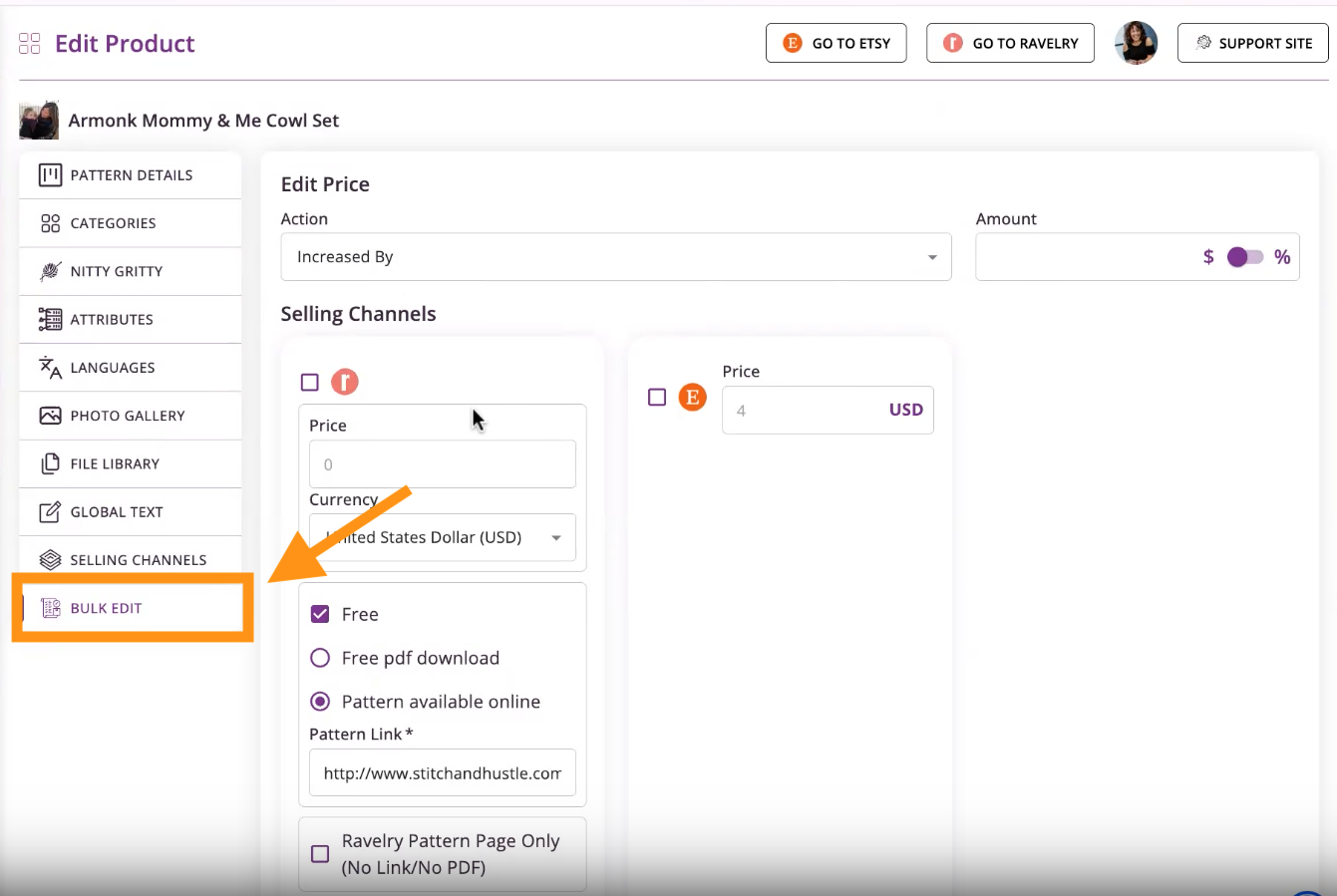
3. Click Bulk Edit in the left-hand menu of the product
Make Your Changes
You can change the following for the listing:
Price
Learn how to Bulk Edit Prices Across Multiple Selling Channels
Text on each selling channel, such as adding new yarn information or replacing old language
To change Text across Selling Channels
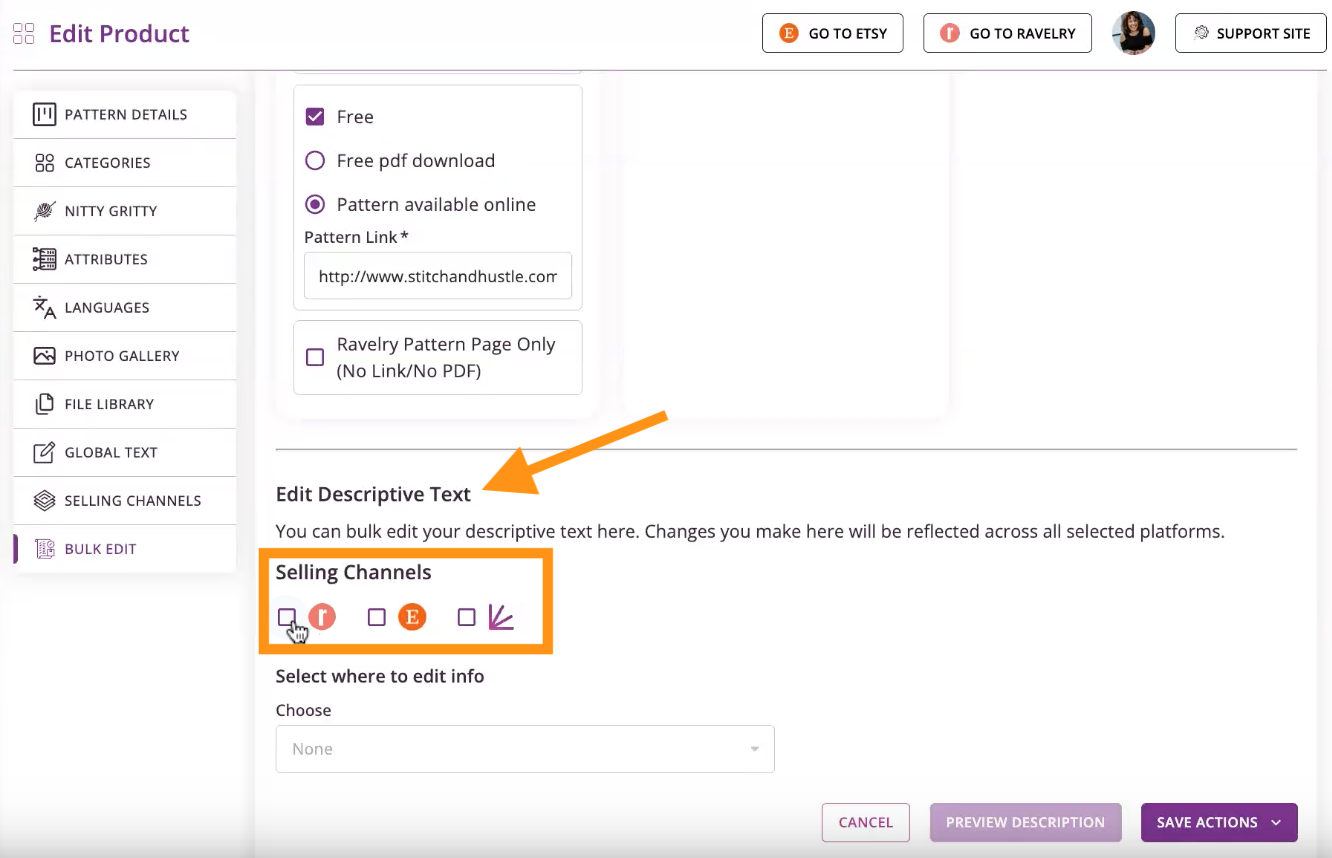
1. Scroll down to Edit Descriptive Text
2. Check the check-boxes next to each of the Selling Channels you want your edits to appear
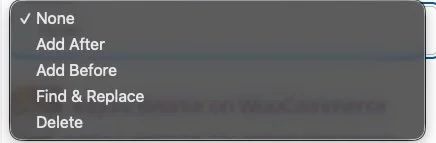
3. From the drop-down options, choose whether you want to
a. Add text after the existing description
b. Add text before the existing description
c. Find and replace text, or
d. Delete text
IMPORTANT: To delete text with bulk edit, you must type the text exactly as it appears in the listing, including spelling and capitalization. If the text doesn’t match exactly, it won’t be removed.
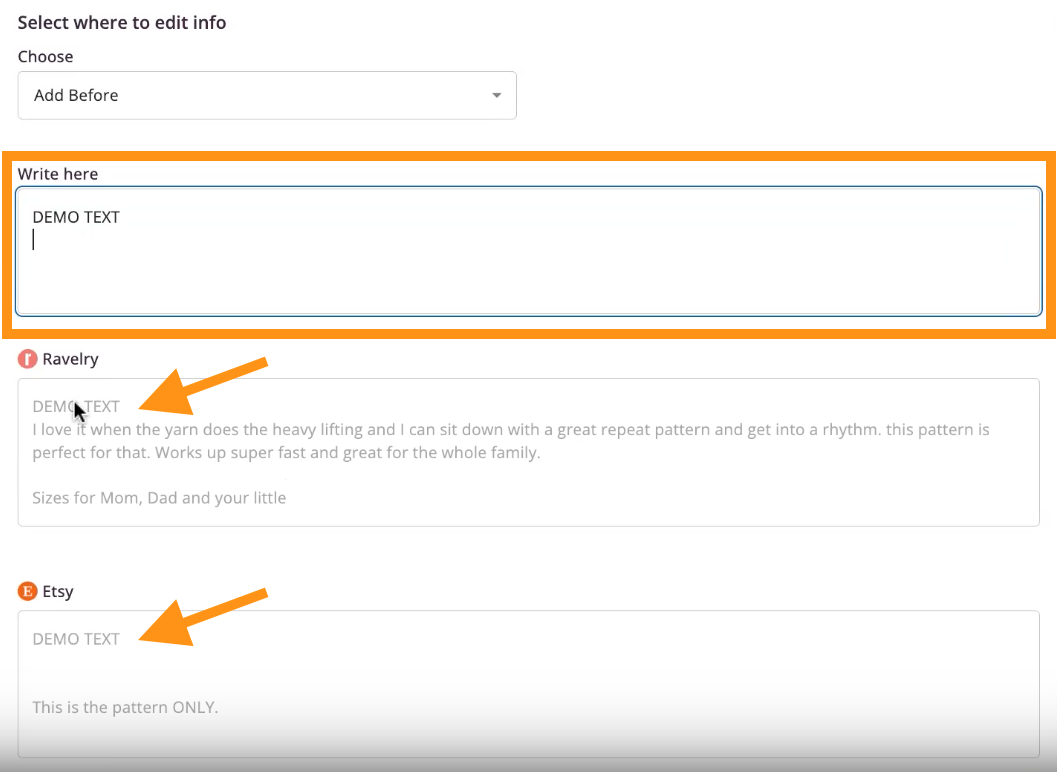
4. Make your edits by typing the information into the text box provided
5. See your edits appear for each listing below it
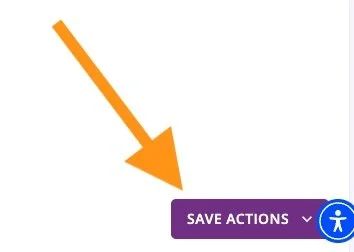
6. When finished, scroll to the bottom of the page and click the Save Actions button
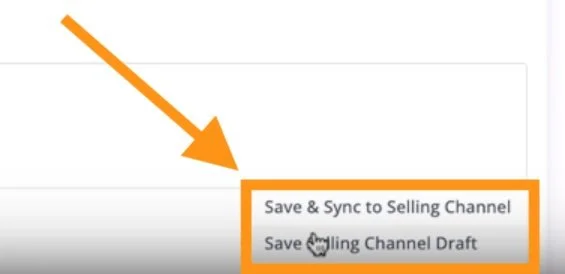
7. Choose whether to
a. Save and Sync to Selling Channel, or
b. Save a Draft
8. Wait for the confirmation that the bulk edit was successful
NOTE: Syncing across multiple channels takes a little longer than a single channel. Wait for the confirmation that the bulk edit was successful.
Other Helpful Tips
Bulk Edit Prices Across Multiple Selling Channels
To explore all the features and benefits that GoSadi has to offer, visit our website today!