
Selecting The Correct Size On GoSadi
At GoSadi, we focus on supporting size inclusivity. We are committed to empowering designers to present their patterns in the best possible way, ensuring they embrace size inclusivity in their listings. Our sizing options are designed to aid designers in representing their creations with an inclusive approach, catering to a diverse range of customers. In this post, we'll guide you through our sizing options and help you select the best sizes for your pattern.
Why is Accurate Pattern Sizing Important
Accurate sizing of your patterns leads to customer satisfaction, builds a positive brand image, promotes inclusivity and diversity, enhances competitiveness, reduces returns and waste, and fosters customer trust and loyalty. And that is the short list of why it is important!
Makers who purchase patterns are eager to create products that not only fit well but also look great. By providing comprehensive and precise sizing details, you empower your customers to achieve the best results, boosting their confidence in their crafting abilities and encouraging them to return for more patterns. This cultivates a loyal customer base and strengthens your brand’s appeal.
How Do I Access Sizing Options for My Product
1. Click on Manage Product and select Product Library to edit an existing product or Create Product to add a new one
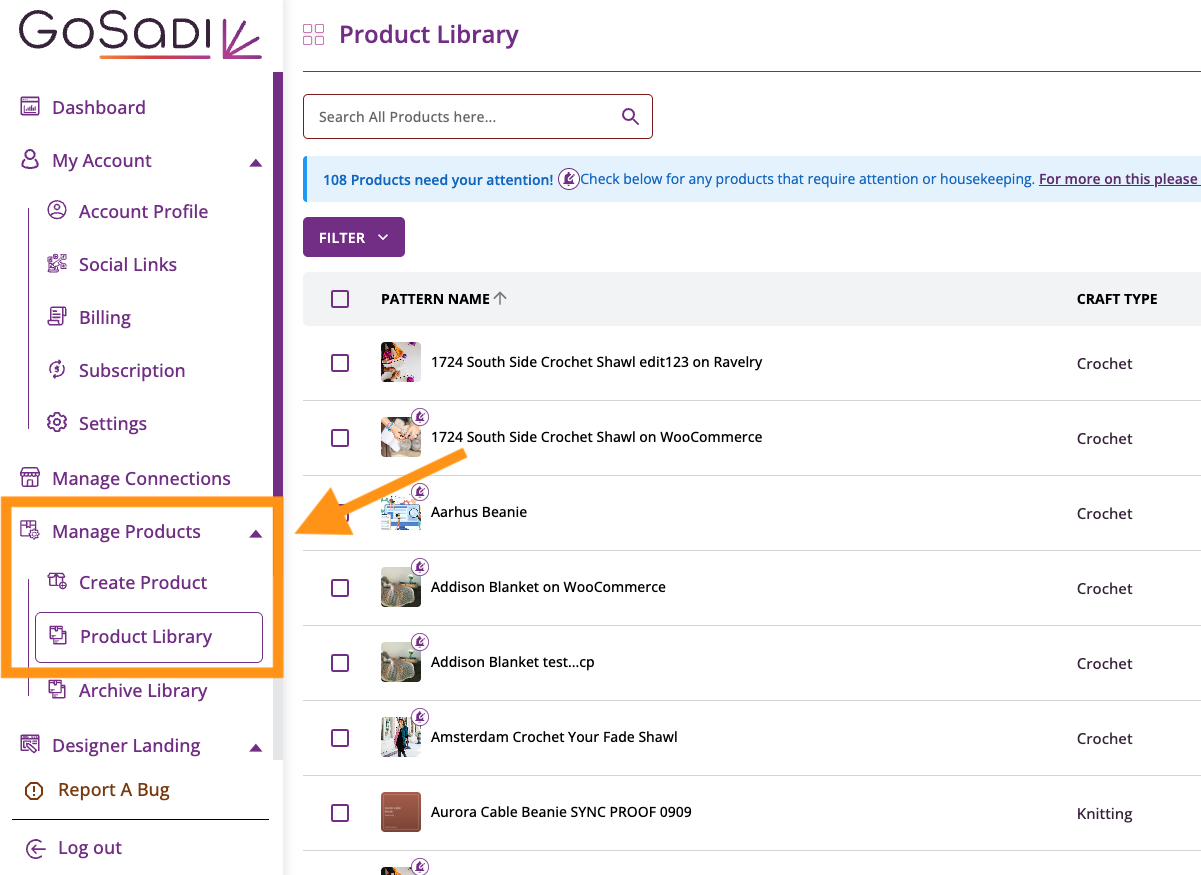
2. Go to the Nitty Gritty tab. Then scroll to the bottom to access Available sizes for this pattern.

3. Select the appropriate size for the product. See our guide to Best Practices for Sizing on GoSadi for any help on what to select
4. You may also manually input sizing that is not displayed in the sizing box by clicking on Customize.

For sizes not displayed in the sizing box, click on Customize to manually input additional sizing details. Utilize options like More size details in notes and Check notes for all measurements if you wish to provide more detailed measurements, such as Bust, Hip, Waist, etc.
More size details in notes
This is a great option when you intend to provide additional customization instructions in the notes of your pattern listing. It is particularly useful when your patterns can be tailored to suit individual preferences, and you wish to offer guidance on how customers can customize the design. For instance, if you have incorporated European sizing, this section will direct customers to the relevant details.
Check notes for all measurements
When you want to guide your customers to find specific measurement details, refer them to the notes section. This could include bust, hips, waist, and other dimensions relevant to your pattern's sizing. This differs from More Size Details in Notes as it assures customers that precise measurements will be available to support their pattern selection.
Remember to save your updates by clicking SAVE & CONTINUE.
To explore all the features and benefits that GoSadi has to offer, visit our website today!