
Hosting a GoSadi Make-Along
Anyone with a paid GoSadi account can host a Make-Along (MAL) to share the joy of making things together and build community around patterns. Whether you're a GoSadi Designer launching a new pattern or a Maker who wants to bring friends together, you can build community using the GoSadi Make-Along (MAL) hub.
This playbook of best practices will get you going and help make sure you have a successful MAL.
Create Your MAL
Before You Start
You'll need:
A paid GoSadi account (Maker Twist or any Designer account)
A link to the pattern(s) (required)
Your MAL details (name, dates, description)
Set Up Your MAL
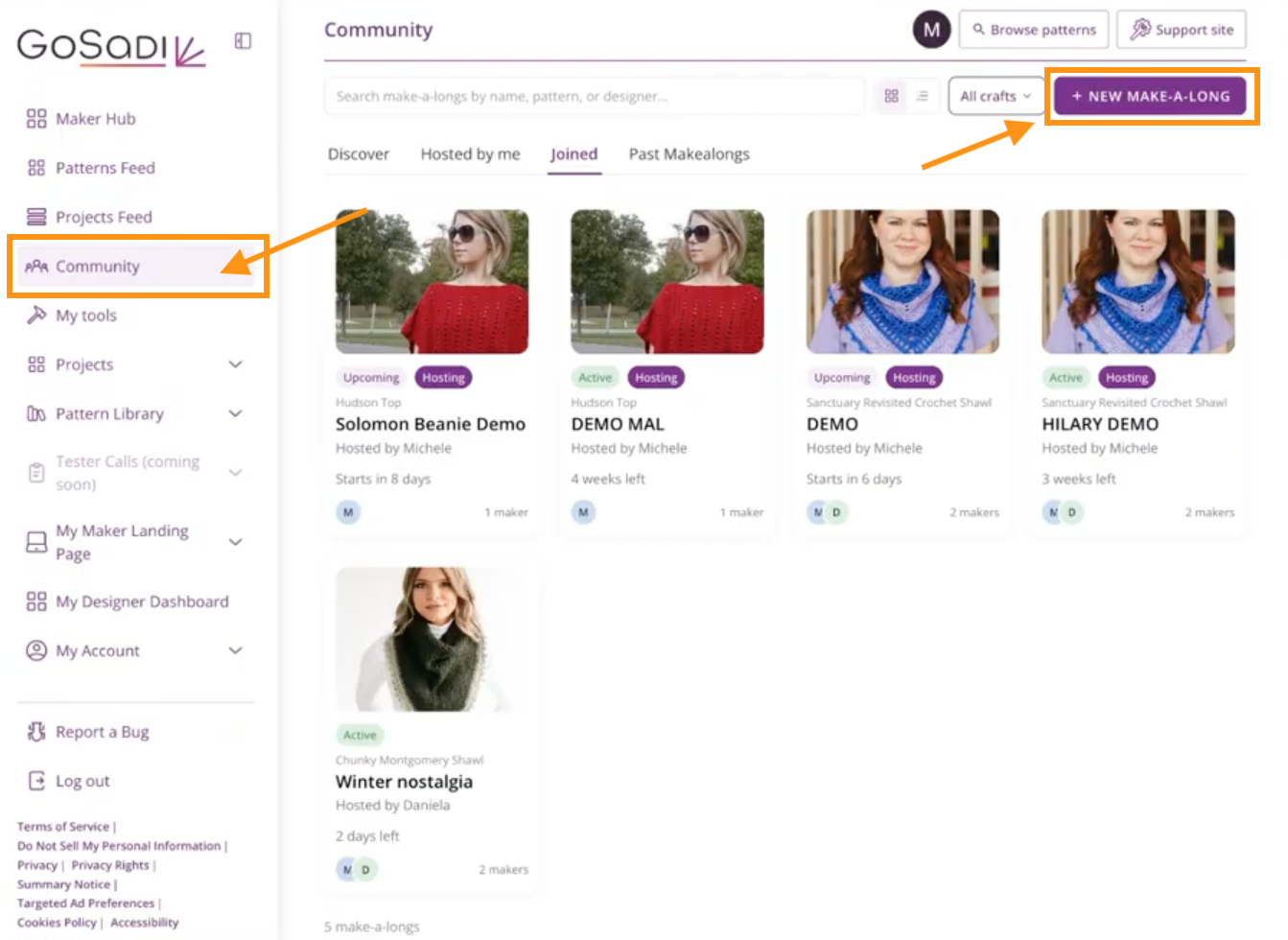
1. Navigate to Community in the maker app
2. Click + New Make-Along
Complete the Form
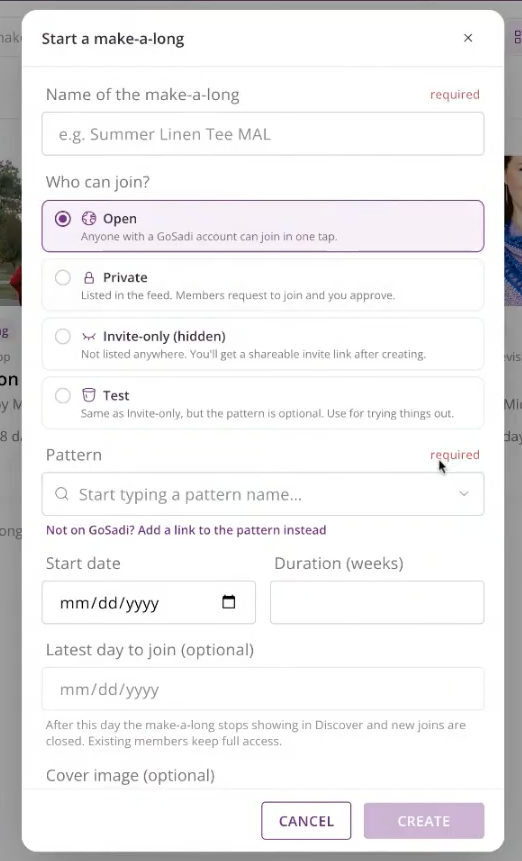
1. Create a Name for your MAL (e.g., "Raspberry Beret") (required)
2. Choose Who Can Join.
Think of this as your MAL’s privacy level. You get to choose who can see and join your MAL by setting a level for it.
Open
Anyone can see it on the Discover page
Anyone can join without approval
Best for maximum reach
Private
Shows on the Discover page
Makers must apply; you approve each person
Good for curated groups
Invite-Only
Only people with your link can join
Perfect for email subscribers or private communities
Doesn't show on the public Discover page
Test
For Designers who are doing tests, choose this level
3. Enter the Pattern(s) (required)
If the pattern is on GoSadi, start to type the pattern name, then choose it from the drop-down
If the pattern is not on GoSadi, you can paste a link to it (from wherever it lives on the internet)
You can add multiple patterns if your MAL features several patterns
4. Set Your Dates
Choose your Start Date
When does your MAL begin?
Enter the number of weeks your MAL will run
NOTE: We do this by weeks rather than a set end-date, because most MAL’s have prizes and milestones based on weeks and progress.
Set a Join Deadline (optional)
When should people stop joining?
EXAMPLE: "Don't join after July 20th - you'll be too far behind"
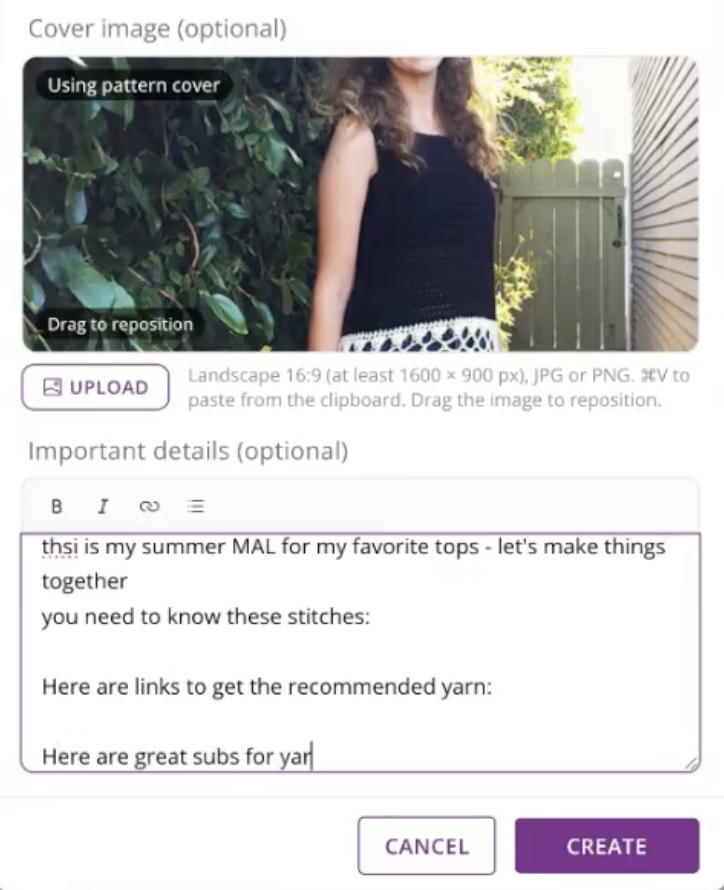
5. Add Your Cover Image
Upload a cover image or let GoSadi pull the pattern photo
NOTE: Cover images need to be 16:9 ratio (png or jpg).
6. Write your MAL Description
What pattern(s) are you making?
Why should people join?
Any required skills?
Include links to recommended yarn, tutorials, or resources
Add affiliate links if you have them - a great way to add income
7. Click Create
8. GoSadi generates:
Your Invitation Link (if private or invite-only)
Your Host Tools access
Your MAL Page
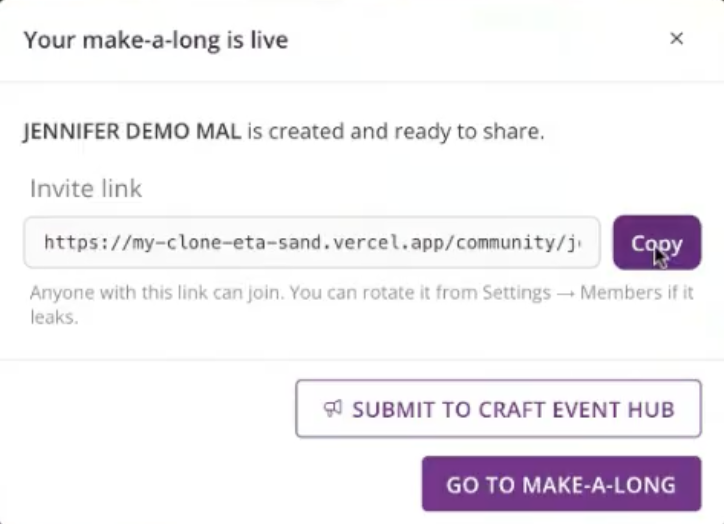
Optional: Submit to Craft Event Hub
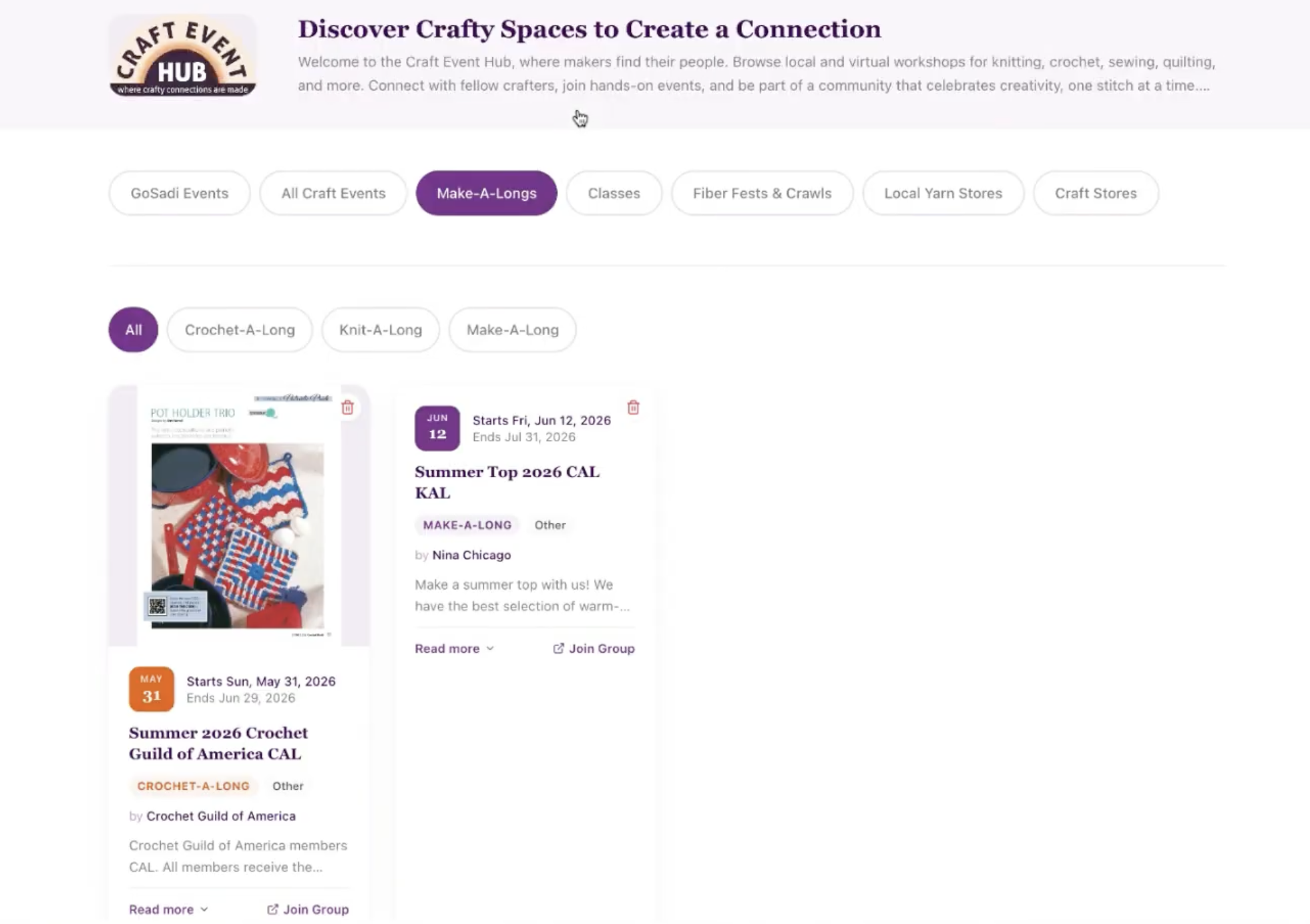
After creating your MAL, you can choose to submit it to the Craft Event Hub
Your MAL will be listed on the Make-Along page on our Craft Event Hub
This increases visibility across GoSadi
Recommended for maximum reach
Share Your MAL
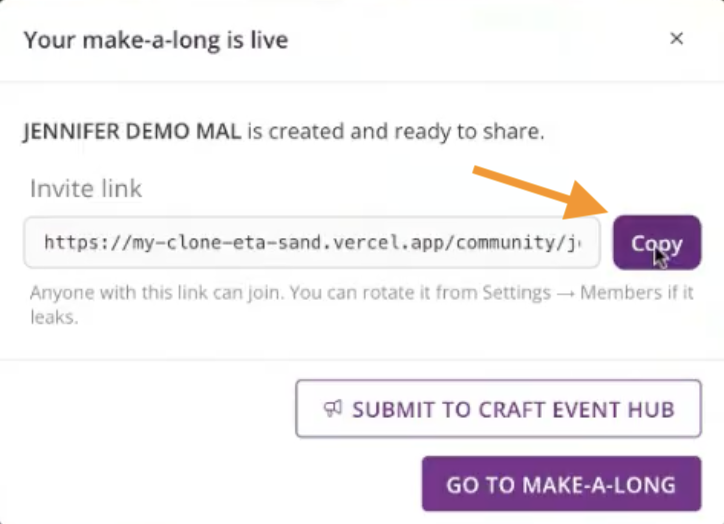
Get Your Invite Link
If your MAL is private or invite-only:
1. Your invite link is automatically generated
2. Copy it to share with your community
3. Only people with this link can access invite-only MALs
Promote Your MAL
1. Share your MAL Link in:
Social media
Email newsletter
Discord or community channels
Your website or blog
2. Use affiliate links in your promotion
3. Encourage people to join before your Join Deadline
Manage Your MAL
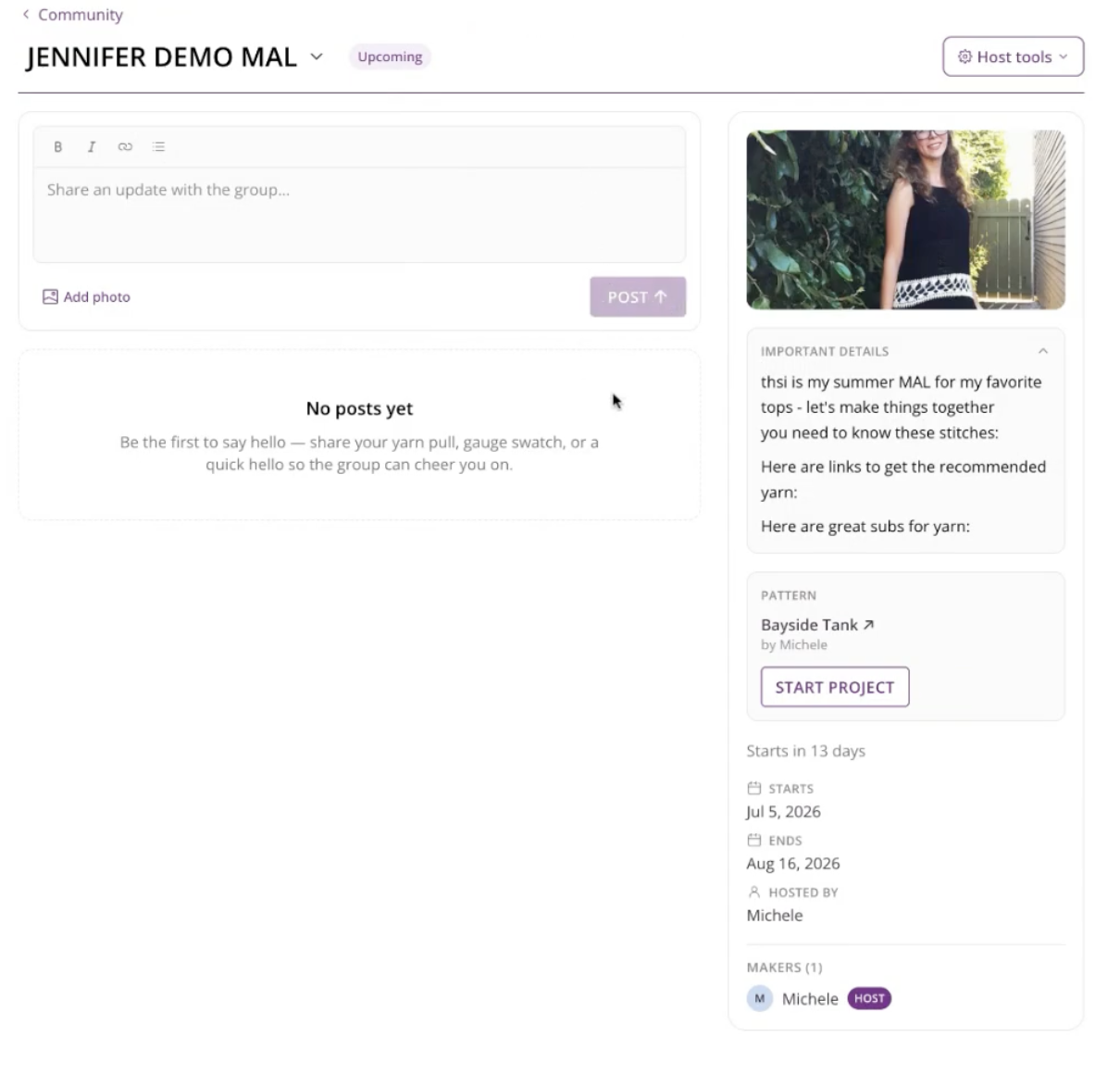
Your MAL has built-in Host Tools for managing the community.
Access Host Tools
1. Go to your MAL page
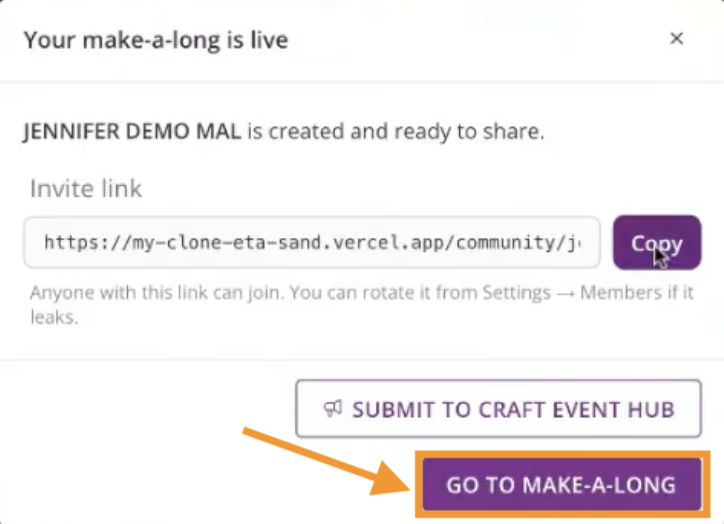
2. Look for the Host Tools section in the upper-right
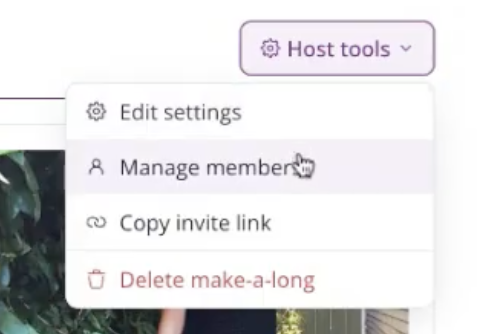
3. From here you can:
Edit settings
Click take you back to the input form where you can change the information about the MAL
Manage members
Copy your invite link
Archive your MAL (after it ends, an Archive button will appear at the bottom of the form)
During Your MAL
As people join and participate:
Welcome new members
Answer questions
Share updates and progress
Foster community conversation
Participants can:
Start projects from within the MAL
Share updates and photos
Comment and react to others' posts
Ask questions and get feedback
End Your MAL
When your MAL is over, decide what to do next.
Archive or Keep Active
1. Once your MAL ends, you can:
a. Keep it active - Community can continue posting and updating
b. Archive it - People can read past posts but can't add new content
2. Click Archive in Host Tools when you're ready to archive your MAL
NOTE: Archived MALs stay visible for makers to review notes and see project history. You can keep them active if your community is still engaged.
Other Helpful Tips
Best Practices for Launching a Pattern with a MAL
Manage Your MAL
How to Join a MAL
To explore all the features and benefits that GoSadi has to offer, visit our website today!